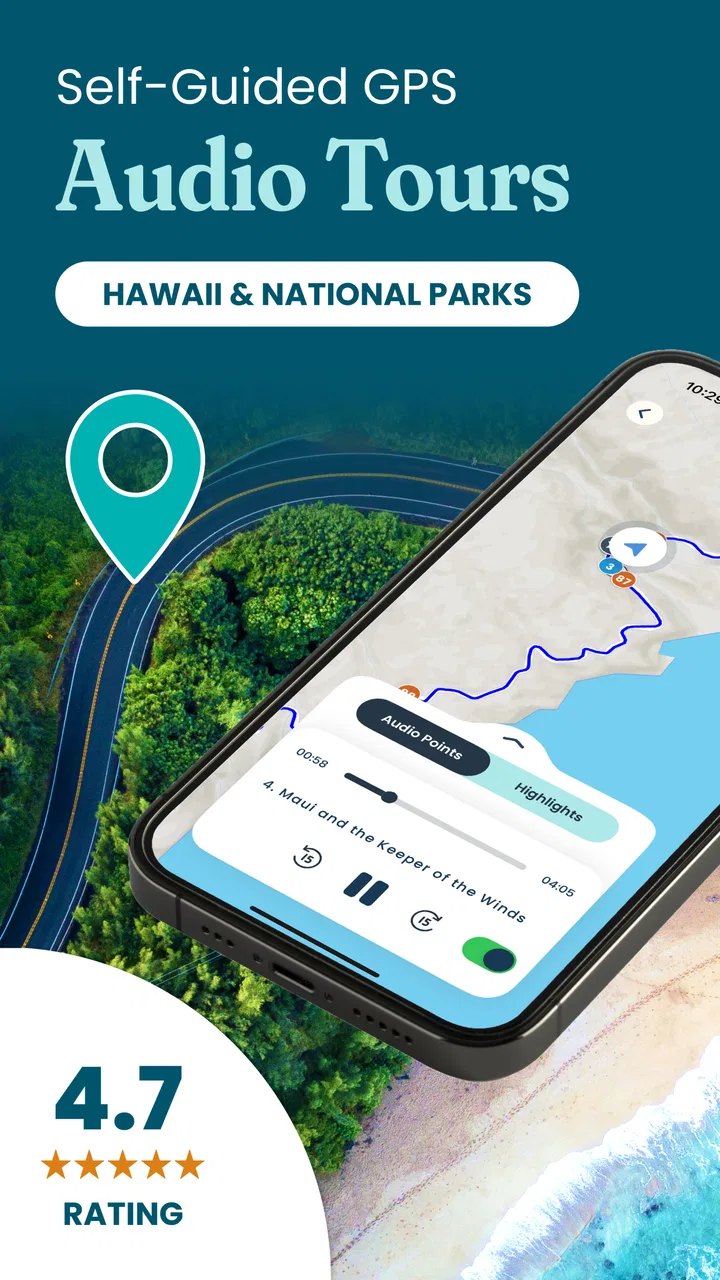
Shaka Guide | GPS Audio Tours
- 4.8
- Rating
- 100.00K
- Installs
- Free
- Price

 Analysis by App-foxy
I used Shaka Guide as a travel companion rather than treating it like an ordinary map app, and that distinction matters. Its purpose is to turn sightseeing into a guided experience, with GPS audio tours for places such as Maui, Yellowstone, Yosemite, and many other destinations. Instead of constantly reading directions or searching for the next landmark, I can keep my attention on the road, the scenery, or the walking route while the app provides spoken context along the way.
That makes it especially appealing when I want more than a line on a map. A standard navigation app can tell me where to turn, but it usually does not give the journey much personality. Shaka Guide is built around the story of the place, so the value comes from combining movement with commentary. I found that approach most useful on scenic drives and relaxed sightseeing days, where the route itself is part of the experience rather than just a way to reach a destination.
How Shaka Guide performs during a real sightseeing day
The app comes from Shaka Guide, a developer focused on self-guided travel experiences. It is listed in the Travel & Local category and is free to install, with optional in-app purchases ranging from $0.99 to $199.99 per item. The free entry point makes it easy to explore the idea before deciding whether a particular tour is worth adding to a trip budget.
You May Also Like

 Blood Strike: 2.5 Anniversary
Blood Strike’s Loadouts Turn Every Drop Into a Tactical Gamble
A close look at Blood Strike’s custom loadouts: how fast access to signature weapons reshapes its battle royale rhythm, rewards preparation, and narrows the gap between fights.

 Pandora - Music & Podcasts
Pandora’s Music Is Easy to Start, but Harder to Recover
Pandora’s strength is its low-effort path from a seed to a station. Its weak spot is how much confidence it asks you to place in connection, setup, and quiet recovery.

 8 Ball Pool
8 Ball Pool Is Built on Rivalries, Rematches, and Routine
A close look at the rivalries, rematches, shared routines, and unanswered safety questions that turn a quick pool match into a persistent mobile community.

 Samsung Music
Samsung Music’s Quiet Strength Is Playing What You Already Own
Its reach comes less from spectacle than from dependable access to a personal library. That simplicity is both the app’s strongest retention engine and its ceiling.

 AccuWeather: Weather Radar
AccuWeather Review: A Quick, Clear Forecast for Everyday Decisions
For everyday plans, the best forecast is the one you can understand quickly. AccuWeather makes rain timing, radar, and local conditions easy to act on, with a few trade-offs.

 Hill Climb Racing
Why Hill Climb Racing Still Turns Crashes Into One More Run
A tiny car, a bumpy hill and one more upgrade: Hill Climb Racing keeps resurfacing because its simple chaos makes every near-miss feel personal.
More From Our News Desk



My first impression is that its usefulness depends less on flashy interaction and more on whether it stays out of the way. A driving tour should not require repeated tapping, and a walking tour should not make me stare at a screen every few minutes. The strongest part of the concept is that it lets the phone become a quiet guide instead of another task competing for attention.
In normal use, I would expect the app to feel most responsive when the phone has already been prepared for the day and the selected tour is ready to use. That is a sensible travel habit with any location-based app: I would choose the route before leaving, check the phone’s battery, and avoid beginning a major excursion while rushing through a hotel lobby. This preparation is not glamorous, but it can make the difference between a calm tour and a frustrating one.
A realistic example would be a morning drive on Maui. I might start with a full phone, select the planned tour, place the device where I can hear it without handling it, and let the experience unfold as I drive. At scenic stops, I could pause to look around rather than immediately searching for the next point of interest. That workflow is more natural than juggling a printed guide, a map app, and a separate search engine.
Speed is useful when the app becomes background guidance
For this kind of product, speed is not just about opening screens quickly. It is about how little attention the app demands once the tour begins. Shaka Guide makes the most sense when I can start a route, listen, and continue moving without repeatedly checking menus. The less interaction required during a drive, the safer and more comfortable the experience feels.
There is also a practical difference between a scenic route and a tightly scheduled itinerary. If I am trying to reach a restaurant at a particular time, I would still rely on a dedicated navigation app for traffic, arrival estimates, and last-minute route changes. Shaka Guide is better suited to exploration, where stopping, listening, and taking an unhurried detour are part of the plan.
One useful habit is to treat the tour as the day’s flexible framework rather than an exact timetable. I would not use it as the sole tool for catching a flight or making a timed reservation. I would use it to add meaning to the route between those fixed commitments. That distinction prevents disappointment and lets the app play to its real strength: guided discovery.
What happens during heavy-use moments
The demanding moments are likely to come when several travel needs overlap: location tracking, audio playback, screen use, navigation, photography, and possibly mobile connectivity. Even without assigning a technical measurement, that combination can put more pressure on a phone than reading a static travel article. I would therefore avoid assuming that a long day of touring is effortless for every device.
My practical approach would be to begin with the phone charged and carry a power bank for a full-day excursion. I would also keep the screen off whenever the audio is doing its job. Constantly leaving the display bright while driving or walking is unnecessary, and reducing screen use is a simple way to make the phone’s resources last longer.
A second useful tip is to separate tour preparation from tour consumption. I would set up the route while connected to dependable internet, then avoid unnecessary browsing once I am outside. This reduces the number of tasks competing with the tour and makes the experience feel more deliberate. It also gives me a chance to notice whether the chosen tour actually matches my route before I am already on the road.
Walking tours create a different kind of pressure. I may stop frequently, move between streets, enter crowded areas, or hold the phone in a way that makes the screen awkward to read. In that situation, audio guidance is more valuable than a visually dense interface, but I would still keep an eye on the route at natural pauses rather than while crossing roads or navigating busy paths.
Reliability depends on preparation as much as the app
A travel guide has a higher standard of reliability than a casual entertainment app because people often use it far from home. The important question is not only whether it works in a quiet room, but whether I can recover gracefully if the phone loses signal, the battery drops, or I accidentally leave the tour. I would approach Shaka Guide with the same caution I use for any travel tool: helpful, but not my only source of orientation.
I would save the essential details of the day separately, including the accommodation address, the planned destination, and any critical timing. That is not a criticism unique to Shaka Guide; it is sensible backup practice whenever a trip depends on a phone. A spoken tour can enrich a route, but it should not be the only place where I keep information I cannot afford to lose.
Recovery is also easier when I avoid experimenting at the worst possible moment. Before leaving a familiar area, I would open the selected tour, confirm that the route is the one I intended, and listen long enough to understand how the guidance behaves. If I later pause for lunch or a viewpoint, I would resume deliberately rather than assuming that every interruption will be handled exactly as I expect.
The app’s broad destination focus is a strength here because it gives travelers a reason to use the same style of guide across different trips. The store summary highlights Maui, Yellowstone, Yosemite, and more than one hundred additional tours. That range is useful for people who enjoy self-guided travel, but it also means I should check the exact destination and tour style before committing time to it. A scenic driving route and an urban walking route can demand very different planning.
Device limits and the importance of the operating system
Shaka Guide supports devices running Android 7.0 or later, which makes it accessible to many older Android phones as well as newer models. Compatibility alone does not guarantee an equally comfortable experience, though. An older phone may meet the operating-system requirement while having less battery capacity, a smaller display, or slower switching between audio, maps, camera, and other travel tools.
For that reason, I would judge suitability by the whole trip rather than by installation alone. A newer phone with a healthy battery is more reassuring for a long drive, while an older device may still be perfectly adequate for a short walk if I keep the screen use modest. I would also make sure the phone is mounted or stored safely during driving instead of relying on last-second handling.
The app is rated for Everyone, so its subject is broadly suitable for general audiences. That does not mean every tour will match every traveler’s interests or pace. Families, couples, solo visitors, and first-time explorers may all appreciate having context on the route, while travelers who prefer complete silence, spontaneous wandering, or highly technical local history may find the guided format less appealing.
Resource demands are another reason to avoid treating the phone as an unlimited travel appliance. Audio itself is usually easier to live with than continuous video, but a location-based tour still belongs to the category of apps I would prepare for rather than casually launch with a nearly empty battery. If the phone is already struggling with storage, background tasks, or an aging battery, the trip is a poor time to discover those limitations.
Where it beats ordinary alternatives
The usual alternative is a navigation app paired with web searches. That combination is flexible and often better for traffic, business hours, live road conditions, and finding a specific address. It also leaves me responsible for deciding what is worth seeing and when to stop. Shaka Guide offers a more curated experience, which can be valuable when I do not want to build an itinerary from scattered tabs.
A printed guidebook has a different advantage: it does not depend on battery life and can be browsed at my own pace. However, it cannot react to where I am moving in the same way a GPS audio tour can. Shaka Guide sits between those options. It provides the convenience of a phone while trying to preserve the feeling of being shown around by a knowledgeable companion.
A human tour guide remains better for questions, personal recommendations, and adapting instantly to a group’s mood. I would choose a person when interaction and local conversation are central to the trip. I would choose Shaka Guide when I want privacy, flexible stopping, and control over the schedule. The trade-off is clear: independence replaces the give-and-take of a live guide.
One non-obvious advantage is how the app can reduce decision fatigue. On a packed vacation, the hardest part is sometimes not finding information but deciding which information matters. A prepared audio route gives the day a shape without forcing me into a rigid group itinerary. I can still stop for photos, food, or rest, but I do not have to research every viewpoint from scratch.
Who should use it and who should skip it
I would recommend Shaka Guide to travelers who enjoy scenic drives, want background stories while moving through a destination, and prefer exploring without joining a scheduled group. It is also a good fit for someone who has limited time to research and wants a ready-made way to make a route feel more meaningful.
It is less suitable for travelers who need live traffic intelligence, exact arrival planning, or detailed turn-by-turn logistics as their main priority. In those cases, a conventional navigation app should remain the primary tool. I would also skip it if I wanted a completely unstructured trip with no commentary, or if my phone’s battery and performance were already unreliable.
Families should decide based on attention span and travel style. An audio guide can make a long drive more engaging, but younger passengers may not care about every stop, and adults still need to manage breaks and safety. Solo drivers should be especially strict about setting everything up before moving. The app is meant to reduce screen dependence, not justify interacting with a phone behind the wheel.
Value, updates, and the overall experience
The application has an average rating of 4.8 from around 2.3 thousand ratings, with roughly 1.2 thousand written reviews and over 100 thousand installs. Those figures suggest that the concept has found a real audience, but I would still treat them as a starting point rather than a guarantee that every destination or phone will feel identical.
It was released on April 8, 2022, and the current version is 9.2.4. For me, the practical meaning of a current version is that I would update before a major trip instead of waiting until I am already traveling. Updates can change how an app behaves, so testing the chosen tour after updating is a small but worthwhile precaution.
The free price is attractive for trying the basic experience, while the optional purchases mean that the total cost can depend on which tours I choose. I would look at the specific tour carefully before planning a day around it, especially if I am traveling with several people and want everyone to listen independently. The purchase range is wide enough that I would avoid assuming every route has the same value or pricing.
My strongest practical tip is to choose the tour according to the day I actually want, not merely the destination name. If I have only a short window, a long scenic route may create more pressure than enjoyment. If I have an open day, the same format can be excellent because it gives me useful structure while preserving freedom. Matching the tour’s rhythm to my schedule is more important than simply having the largest selection.
Another useful insight is to plan listening breaks. I would not expect to absorb every spoken detail while driving through complicated scenery, managing passengers, or searching for parking. Stopping at safe locations gives the commentary a chance to become part of the place instead of background noise. That approach also makes the tour less tiring during a long outing.
Overall, I see Shaka Guide as a focused companion for destination-based exploration, not a replacement for every travel app. Its perceived performance is strongest when I prepare the route, keep the screen under control, and use it for sightseeing rather than urgent navigation. It can make a familiar road feel more intentional and can save me from piecing together an itinerary from disconnected sources.
My final verdict is positive, with sensible limits. I would install it for a trip to one of its covered destinations, especially if I wanted a self-guided driving or walking experience and had a dependable phone setup. I would keep a standard map and basic travel notes available, protect the battery during heavy-use days, and choose a tour that fits my pace. Used that way, Shaka Guide offers something ordinary navigation rarely does: a calmer, more informed way to notice where I am going.
FAQs for Shaka Guide | GPS Audio Tours
01What is Shaka Guide, and how does it work?
Shaka Guide is a GPS-based audio tour app designed to help you explore destinations independently. After choosing a tour, the app uses your location to play narrated stories, directions, travel tips, and recommendations as you drive or walk. It combines the flexibility of a self-guided trip with the context of a traditional tour guide, without requiring a fixed schedule or group.
02Does Shaka Guide work without an internet connection?
Yes, Shaka Guide is designed to support offline touring, which is especially useful in areas with limited mobile coverage. You generally need to download the selected tour and its required content before starting your trip while connected to Wi-Fi or mobile data. Once downloaded, GPS navigation and audio playback can usually continue offline, helping you avoid roaming charges and connection interruptions.
03Which destinations and types of tours are available in Shaka Guide?
Shaka Guide focuses on popular travel destinations and offers different kinds of experiences, including scenic drives, national parks, cultural routes, city explorations, and sightseeing itineraries. Availability can vary by country and destination, so it is worth checking the current catalog before downloading. Tour length, narration style, stops, and driving requirements may also differ between individual guides.
04Is Shaka Guide suitable for families and first-time visitors?
The app can be a convenient choice for families, couples, and travelers visiting a destination for the first time. Narration provides background information while the route suggests viewpoints, landmarks, and places to stop. However, drivers should avoid interacting with the phone while moving, and families should review the route in advance because some tours may involve long drives, hikes, or stops that are not accessible to everyone.
05Does Shaka Guide cost money, and are there additional purchases?
Shaka Guide typically offers tours through a combination of free previews, individual purchases, packages, or subscription-style access, depending on the platform and current promotion. Pricing and included features can change, so check the listing and in-app purchase screen before confirming payment. It is also sensible to verify whether your chosen tour includes offline access, updates, and all narrated stops.
Pros
- GPS-triggered narration works offline after downloading tour content.
- Self-guided routes let you explore at your own pace without group schedules.
- Stories include local history
- culture
- legends
- and practical travel tips.
- One purchase can be more flexible and affordable than a guided excursion.
- Audio continues while driving
- making sightseeing easier and less distracting.
Cons
- Coverage is concentrated in selected destinations rather than available everywhere.
- Some tours require a separate purchase
- which can make costs add up.
- GPS accuracy may vary in tunnels
- remote areas
- or regions with weak signals.
- Driving tours may involve long stretches with limited narration or stops.
- The app can use significant storage when several tour packages are downloaded.

Shaka Guide | GPS Audio Tours
Gallery